We are proud to introduce ALFAtwin – Version 2026.1, a release that reinforces our commitment to delivering innovative, reliable, and high-performance solutions. These updates are the result of a development cycle driven by our client’s real needs — combining feedback with our focus on continuous improvement. Each enhancement and new feature is thoughtfully designed to increase operational efficiency, strengthen asset integrity, and empower your decision-making processes. Our mission remains clear: to deliver solutions that generate tangible value for your operations, today and into the future.
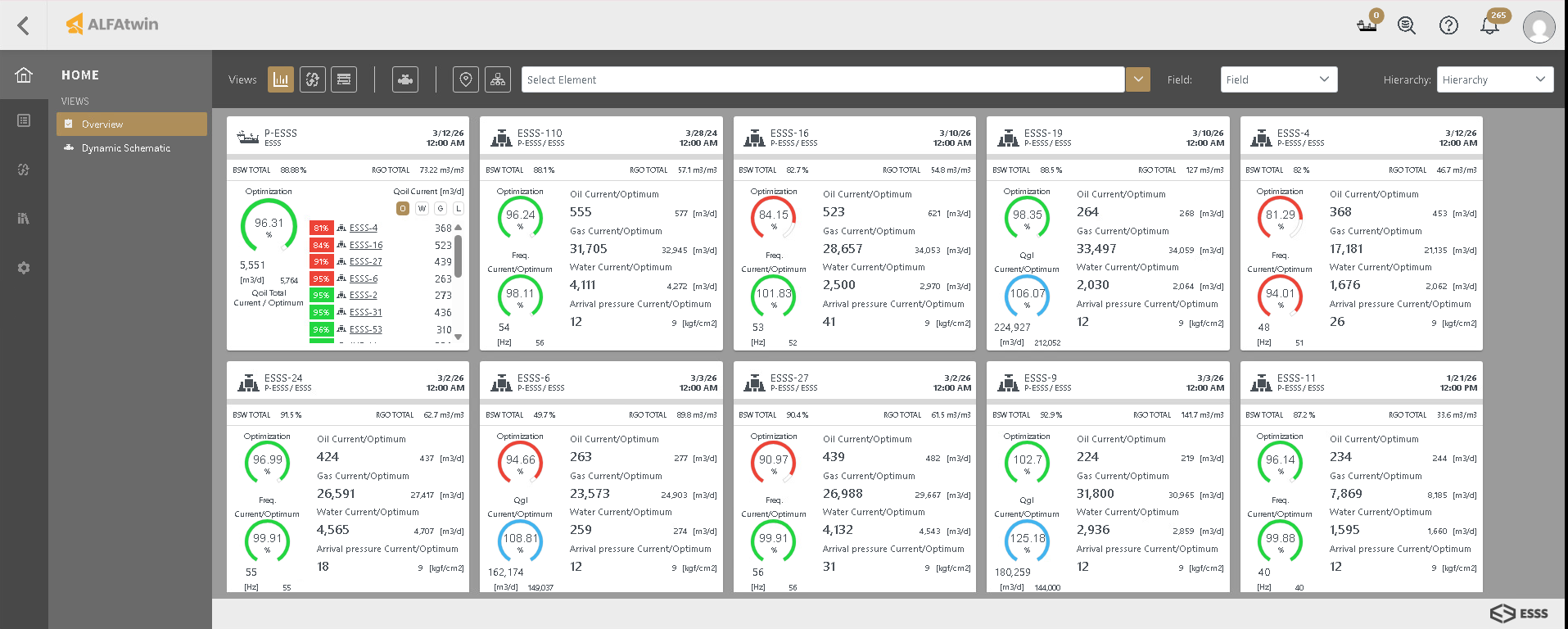
Optimization Monitoring View: The new Optimization Monitoring View is a powerful command interface that provides a high-level overview of your assets, enabling engineers and operators to monitor performance and make data-driven decisions with confidence.
Asset Monitoring: Get a unified view of your platforms, manifolds, and wells in a single, intuitive interface.
Data-Driven Decision Making: Enhanced visibility into operational parameters allows for the immediate identification of optimization opportunities.
Operational Transparency: Easily track how optimizer suggestions translate into actual production gains, ensuring your strategy aligns with field reality.
Streamlined Navigation: Navigate seamlessly between high-level asset cards and detailed process data, significantly reducing time spent searching for critical information.
Figure 1 – Optimization Monitoring View.
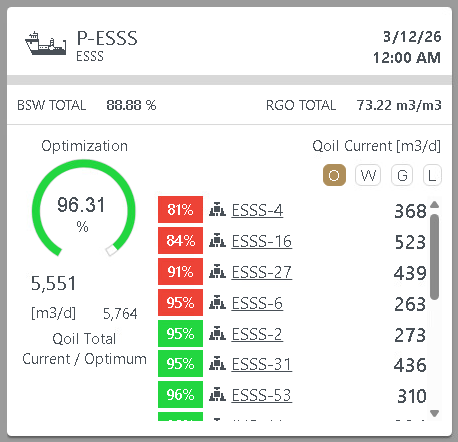
Figure 2 – Platform Optimization Monitoring Card.
Improvements in ALFAsim Calibration Process: We have significantly improved the stability of the ALFAsim calibration process, specifically for workflows requiring high-precision Inflow Performance (IP) adjustments. This update ensures a more robust numerical convergence when fine-tuning the simulation.
Automated Roughness Optimization: Increased simulation stability when utilizing the automatic calibration of internal wall roughness for production tubing and flowlines.
New Pump Support: Added support for progressive cavity pumps.
UI/UX & Workflow Optimization We’ve refined the interface to ensure that managing complex data is intuitive and efficient. These updates focus on reducing clicks and highlighting the data that matters most to your specific workflows.
Advanced Global Filtering: The Global Platform Filter is now more robust and reliable across all modules. We’ve added a “Select/Deselect All” functionality, allowing for rapid context switching between individual assets and fleet-wide views.
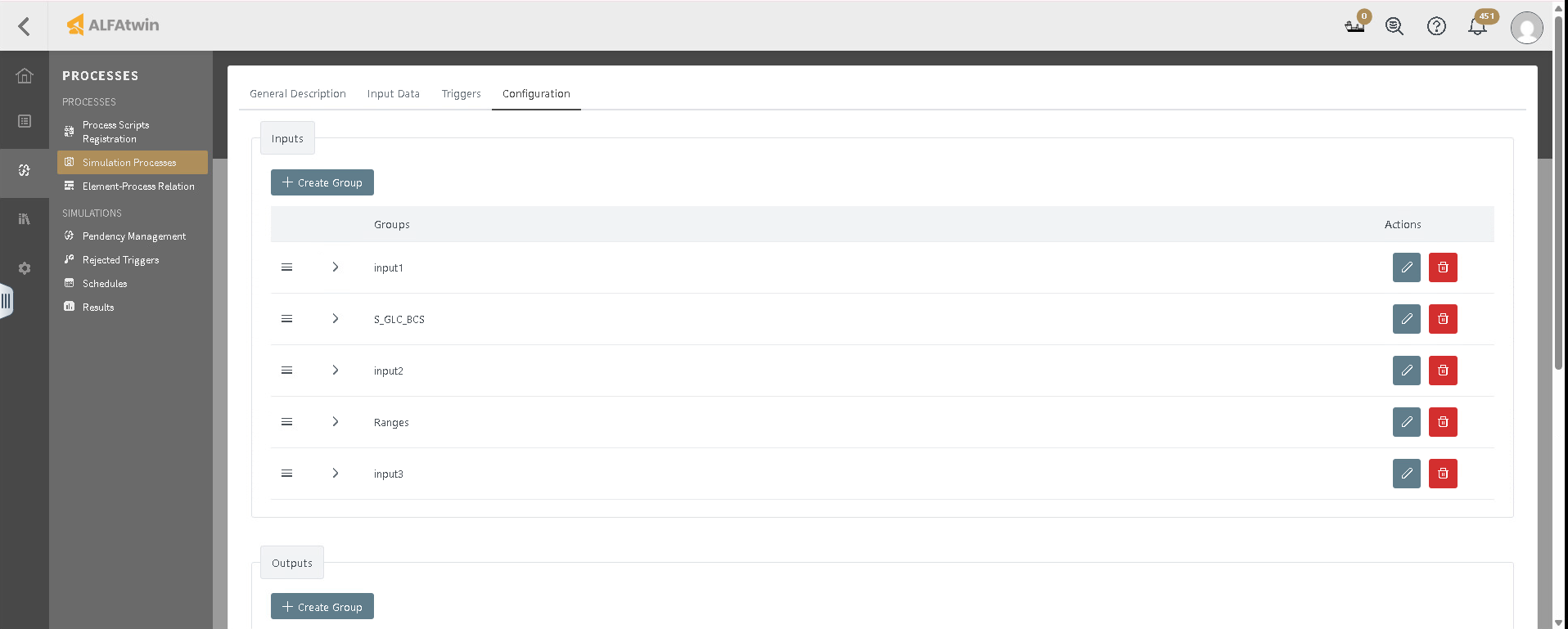
Smart I/O Presets: To accelerate analysis, we’ve introduced Process Input/Output Presets. These allow you to highlight and lock key variables based on specific client requirements, ensuring your primary variables are always front and center.